
About
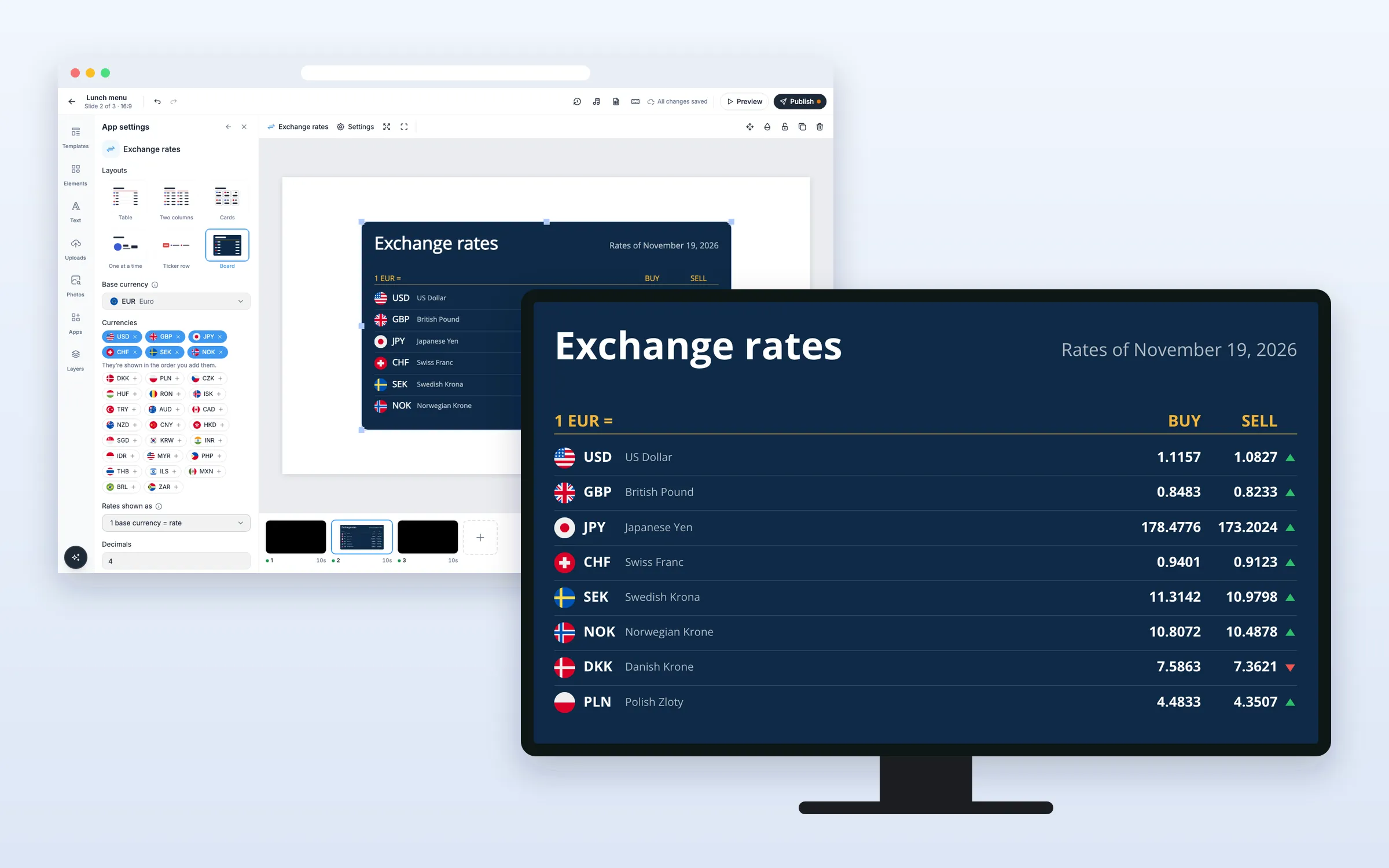
Show exchange rates against your base currency, as a table, cards, a ticker or a classic board. Rates are the European Central Bank’s reference rates and update by themselves every working day, with nothing to set up. Add a margin to show buy and sell prices, and arrows for up or down since the day before. On every plan.
Get Started
Everything here starts in the editor: open your playlist and the slide. The editor saves by itself (“All changes saved”). When you’re done, click Publish.
Set up the board
Add exchange rates to a slide
- Click Apps, and click Exchange rates under Feeds and text (or type “exchange” in Search apps)
- A board is added in the middle of the slide, and App settings opens
- Pick one of the six Layouts
- Choose your Base currency
- Under Currencies, remove the ones you don’t want with ×, and add others from Currencies you can add with +. They’re shown in the order you add them
Show buy and sell prices
- Set Buy and sell margin (%) above 0
The board then shows Buy and Sell columns, that many percent either side of the reference rate. Prices are worked out from the margin; you don’t type them.
Show what one unit costs in your currency
- Set Rates shown as to Price in the base currency
The board then shows what 1 USD costs in your currency, for example. Currencies worth little are shown per 100 or 1,000, as exchange offices do.
Options
Click the board on the slide to change these in App settings.
| Option | What it does |
|---|---|
| Layouts | Table, Two columns, Cards, One at a time, Ticker row or Board (navy, with gold accents). The others have no background |
| Base currency | EUR to start with |
| Currencies | USD, GBP, JPY, CHF, SEK and NOK to start with |
| Rates shown as | 1 base currency = rate, or Price in the base currency |
| Decimals | 0 to 6, 4 to start with |
| Buy and sell margin (%) | 0 to 20. Above 0, Buy and Sell columns are shown |
| Up or down since the day before | An arrow against the previous working day |
| Show flags, Show currency names, Show the heading | On to start with |
| Heading | Your own heading. Empty shows “Exchange rates” |
| Seconds per page | 4 to 60, 10 to start with, when not all currencies fit. All screens turn the page together |
| Speed | Slow, Normal or Fast, for the Ticker row |
| Font | Open Sans to start with, or one of your team’s fonts |
| Colors | Text colour, Accent colour, Colour when up and Colour when down; background color and opacity for the Board |
| Rounded corners | For Cards, Ticker row and Board |
| Language | Same as the screen, or one of 12 languages |
FAQ
Which plans include Exchange Rates?
Every plan.
Where do the rates come from?
From the European Central Bank’s euro reference rates, published once every working day. Rates for other base currencies are worked out through the euro. They are reference rates, not live trading rates, and the board always shows their date (“Rates of …”).
Which currencies are available?
30: EUR, USD, GBP, JPY, CHF, SEK, NOK, DKK, PLN, CZK, HUF, RON, ISK, TRY, AUD, CAD, NZD, CNY, HKD, SGD, KRW, INR, IDR, MYR, PHP, THB, ILS, MXN, BRL and ZAR.
What if the screen goes offline?
It keeps showing the last rates, with their date, for up to 7 days.
Do my screens need an update?
No. Screens show the board like other web apps, on the players you already have.