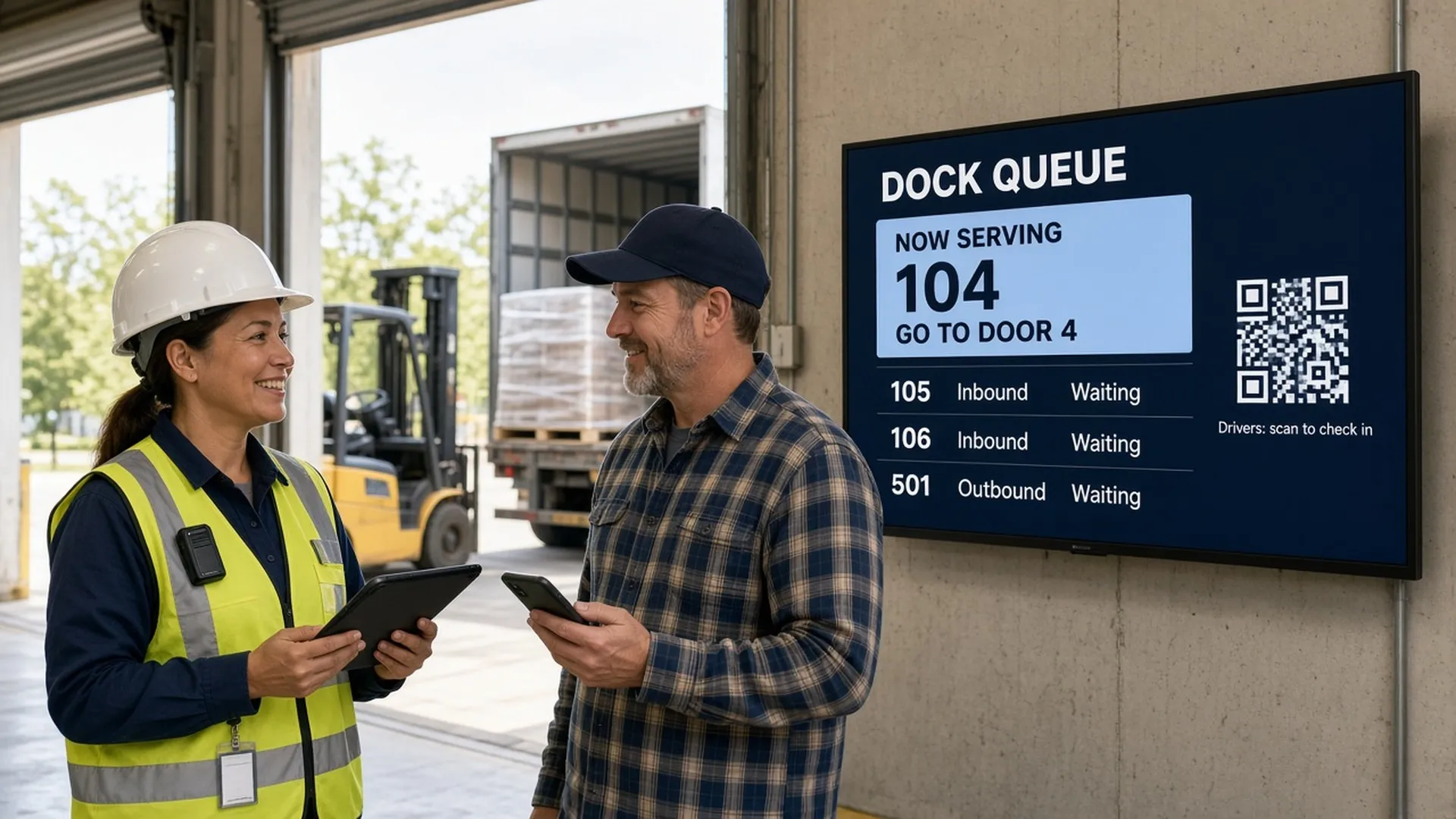
Warehouse digital signage puts the information that changes every hour, like dock doors, the driver line, pick rates and shift notes, on screens where people already look. Start with one screen where your most repeated question gets asked, feed it from a Google Sheet, and add a driver queue, safety rotation and AI visuals from there.
Every warehouse has one question asked a hundred times a day. Usually it is “which door?” Let’s answer it on a screen.
Why do warehouses need screens instead of paper and radio?
Because the people who most need the message never sit at a desk. Pickers and truckers do not read email between waves, and the memo on the break room door is stale by Wednesday.
The U.S. Bureau of Labor Statistics recorded 4.8 injury and illness cases per 100 full-time workers in warehousing and storage in 2024, against 2.3 for private industry as a whole, and 32 fatalities. A blocked aisle half the shift never hears about is a hazard.
Mark A., President of a consumer goods company, described the old way on Capterra: “Before we switched to digital signage we had clocks and whiteboards throughout our facility to communicate messages. The clocks were always off. Now everyone is on the same schedule and getting the same message.”
Who already runs industrial screens with Play?
Plants, mills and logistics teams. Here is what real customers wrote, quoted as published.
| Customer | Industry | What they said | Source |
|---|---|---|---|
| Kira G. | Warehousing, 501 to 1,000 employees | “we have been able to shine a light on pieces of our business our employees don’t typically see” | GetApp, via Play reviews |
| Kurt D., IT Manager | Paper and forest products | “We use the product to display safety messages on 25+ screens in our mill” | Capterra |
| Mike D., Site Scheduler | Chemicals | “We are a 24/7 manufacturing facility with operations on 3 different floors.” | Capterra |
| Sergey M., Owner | Logistics and supply chain | “ease of use and simple setup any one can update it” | Capterra |
| Joe W., IT Director | Machinery | “It is easy to use and more importantly easy to deploy.” | Capterra |
| Kelsey M., Branding Lead | Mechanical or industrial engineering | “I can rest assured that TV’s I cannot physically see are updated!” | Capterra |
The fullest story comes from Lone Star Turbo, a maker of industrial blowers and compressors. System Administrator Gabriel Trubi names three problems his plant shares with every warehouse: “maintaining operational efficiency, ensuring workplace safety, and effectively communicating information to employees and visitors.” His verdict: “The initial reaction to Play Digital Signage was overwhelmingly positive.”
Where should each warehouse screen go, and what should it show?
Plan by placement. Each spot has one audience and one job.
| Placement | Who looks | What to show | Play feature | Refresh |
|---|---|---|---|---|
| Gate or driver entrance | Truck drivers | QR code to join the line, site rules, speed limit, PPE | Queue | Live |
| Shipping office or driver lounge | Drivers, dock staff | Called number and door, how many are waiting | Queue | Live |
| Clock-in | Every worker | Roster, priorities, safety point of the day, handover | Scheduling | Per shift |
| Pick and pack floor | Pickers, packers, leads | Orders picked, shipped, carrier cut-offs, zone status | Dynamic Text | Every 5 minutes |
| Supervisor office | Leads, managers | Full reports | Power BI | Live |
| Break room | Workers on break | Training clips, recognition, open shifts, days without a recordable | Counter | Daily |
Floor screens get numbers, not paragraphs: a forklift driver gives a screen two seconds per pass. Break rooms get the longer content, because people there are sitting still.
How do you build a dock queue drivers can follow from the cab?
The American Transportation Research Institute found drivers were detained at 39.3% of stops in 2023, costing for-hire trucking $11.5 billion in lost productivity. The detail most guides skip: drivers in ATRI’s report said just 22% of customers have a waiting area, lounge or break room for them. Most drivers wait in the cab.
So a wall board is only half the answer. The Queue plugin puts the line on the driver’s own phone: scan the QR code on the gate screen, get a number, follow it live, no app needed. Here is the build:
- Open a playlist, click Plugins and choose Queue.
- In the Queues tab, add up to 10 queues. Try “Inbound” with first number 100 and “Outbound” with first number 500, so the numbers never look alike.
- Add up to 30 desks and name them like dock doors: “Go to Door 4”, “Go to Door 7”.
- In Style, set the text under the QR code to “Drivers: scan to check in.”
- Set Start again from the first number to every day at a time that suits your first shift.
- Click Create, then Publish, and send the Staff link to the dock lead’s tablet. It needs no login, so share it only with staff.
- When a door frees up, the lead picks it and presses Next. The screen flashes the number and door, and the driver’s phone shows where to go.
Drivers can tap Alert me when it’s my turn so the phone beeps, perfect for someone resting in the sleeper. Honest notes: Queue needs internet on the screen, staff page and phones, and it is on Pro and Ultimate.
How do you put live KPIs on the pick floor without IT?
Use the spreadsheet your leads already keep. Dynamic Text shows a cell, a range or a whole Google Sheet (shared with “Anyone with the link”) in your own fonts. Edit the sheet and screens update every 5 minutes by default, without publishing again.
A sample sheet might look like this (the numbers are illustrative):
| Metric | Value |
|---|---|
| Orders picked | 1,184 |
| Orders shipped | 972 |
| Next carrier cut-off | UPS 4:30 PM |
| Doors open | 3 of 12 |
| Zone C status | Short 2 pickers |
Show Single cell for one giant number, or a Custom range for the block. Keep it short, or the text shrinks until nobody can read it from a pallet jack. Dynamic Text is on Pro and Ultimate; on Essential you can show a published sheet with Google Sheets.
For the safety scoreboard, set a Counter to Count up from date, starting at your last recordable incident.
What goes on a shift handover screen?
The same five things, in the same order, every shift, so the incoming crew knows where to look.
| Slot | What to show | Who updates it | How |
|---|---|---|---|
| 1 | Who is on, and in which zone | Shift lead | Dynamic Text from the roster tab |
| 2 | Hot orders and cut-offs | Outgoing lead | Dynamic Text range |
| 3 | Equipment out of service | Maintenance | Dynamic Text cell |
| 4 | What went wrong last shift | Outgoing lead | One slide, rewritten each shift |
| 5 | Safety point of the day | Safety lead | A scheduled slide from a weekly set |
Use Scheduling for day and night playlists, and Slide Conditions (Pro) to delete a slide automatically when it expires. Last week’s overtime notice takes itself down.
How can AI help a warehouse team make content?
This is where most guides stop. Play has two AI helpers.
1. AI Image. In the editor, click Generate with AI, describe the picture, press Enhance Prompt for a better description, choose the aspect ratio and click Generate. You can tweak a result with Modify Image with AI, and every image lands in your Library. Essential gets 5 images a week, Pro 10 and Ultimate 20, per the AI Image support page. Prompts that work well on a warehouse floor:
- “Bright photo-style illustration of a forklift driver in a hi-vis vest checking his mirror at a rack aisle intersection, wide landscape, space on the left for text”
- “Cold storage freezer door with frost, a worker in an insulated jacket and gloves, clean and bright”
- “Warm celebration banner with pallets and confetti for a team that hit its monthly target”
One rule: AI images illustrate, they never replace regulated signs. Check the PPE in the picture matches your site rules.
2. The AI Assistant. Chat with it about your site, and it builds a complete playlist in your brand, with your logo, colors and fonts, photos and apps like weather, clock, QR codes and countdowns. It also changes the playlists and slides you have. Every change is a proposal with a before-and-after preview that you apply or discard, and it never publishes by itself. Open it with the sparkles button at the bottom right of the dashboard, or Assistant in the editor. It is on every plan, Essential included, with 50 messages per team per day and no credits to buy. Ask it for five forklift safety reminders for the week, then spend your time checking instead of typing.
Prefer no AI at all? A team owner or super admin can turn on Disable all AI features in the team settings.
What can screens do for safety, and what must stay on the wall?
OSHA’s 29 CFR 1910.145 sets the design of danger, caution and safety instruction signs, and it says plainly that its specifications “do not apply to plant bulletin boards or to safety posters.” The dock edge caution sign stays put, and the screen becomes your self-updating bulletin board: near miss of the week, a rerouted forklift path, heat reminders in July.
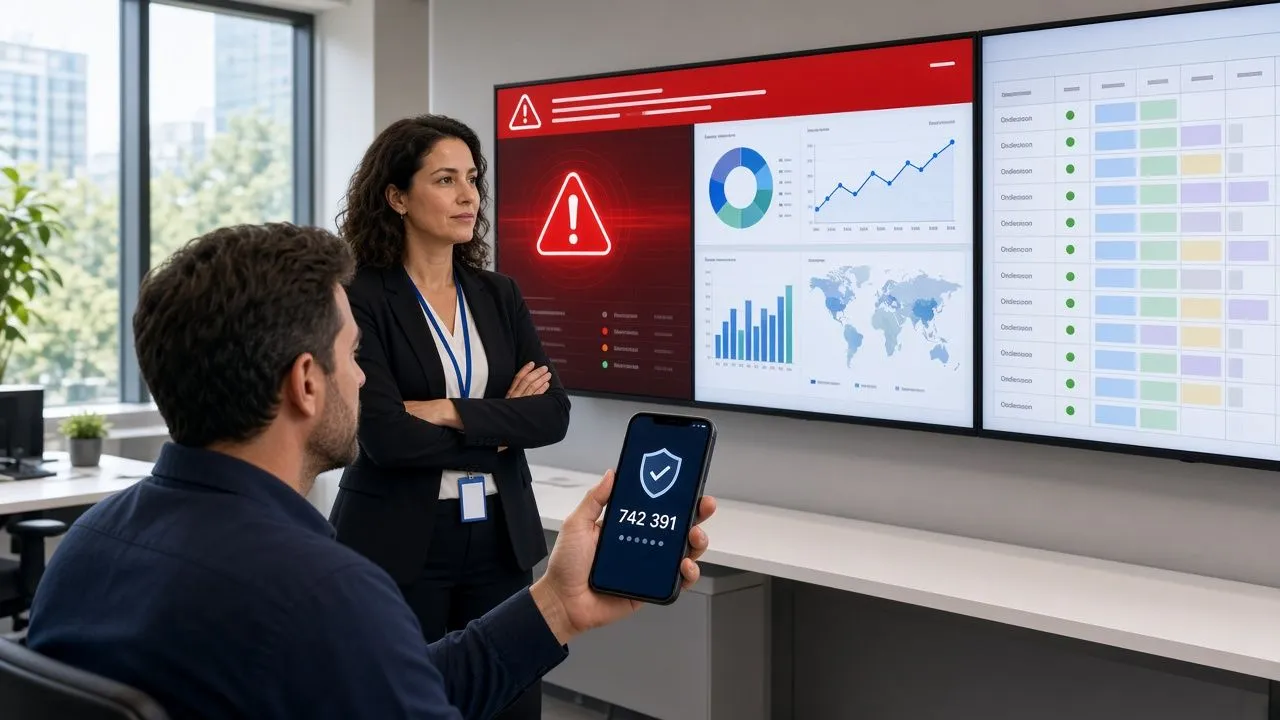
In an emergency, Tags switch chosen screens to an emergency playlist at once, and CAP lets an alert provider push official alerts. Both are on Pro and Ultimate. Tag dock screens separately, so a yard closure reaches drivers without interrupting pick boards.
Which hardware survives a warehouse?
| Spot | The problem | What to choose |
|---|---|---|
| Dock door facing daylight | Glare washes out an ordinary TV | A high-brightness commercial display, mounted out of direct sun |
| Cold store or freezer entrance | Low temperatures and condensation | A display rated for that temperature, or an enclosure; keep the player in the warm side |
| High racking aisles | Viewed from far away and below | Bigger screen, tilt mount, huge text |
| Metal building, patchy Wi-Fi | Screens drop offline | Wired Ethernet where you can; offline playback keeps the last content running |
| Gate kiosk | Drivers read from a cab seat | Portrait orientation at cab height, big QR code |
Play runs on Samsung and LG commercial displays, BrightSign, Amazon Signage Stick, Windows, Raspberry Pi and more; see the media player guide.
How do you keep it running across shifts and sites?
Alerts (Pro) email you when a screen goes offline, with a delay so a Wi-Fi blip does not wake anyone, and a webhook can post them into Slack or Teams. Roles keep control: Members create content, Admins also link screens. With Sub Teams (Pro), each site runs its own screens while head office keeps the overview.
How do you start without a budget meeting?
Put one screen where the radio traffic is noisiest. Your first screen is free with every Pro feature, so Queue, Dynamic Text and Alerts are all on the table, as long as you leave Play a review within the first 30 days. If you add more screens later, on monthly billing you pay for the hours you use.
Run it for a month, count the radio calls it saves, then place screen two.
FAQ
What is warehouse digital signage?
Screens in a warehouse or distribution center, managed from one web dashboard, showing dock doors, KPIs, shift notes and safety messages.
Can drivers join a dock queue without an app?
Yes. With Queue, drivers scan a QR code, get a number and follow it in their phone’s browser. Staff call numbers to a door from a tablet.
Can I show live pick rates from a spreadsheet?
Yes. Dynamic Text shows Google Sheet cells and updates every 5 minutes by default, on Pro and Ultimate.
Do screens replace OSHA safety signs?
No. Accident prevention signs under OSHA 1910.145 stay physical. Screens fit the bulletin board and safety poster role, which that standard excludes.
What happens if the warehouse Wi-Fi drops?
Screens keep playing what they have and update once back online. Queue needs a connection.
Can AI make content for my warehouse screens?
Yes. AI Image creates visuals from a prompt, and the AI Assistant builds and changes playlists in your brand, as proposals you approve.
How much does it cost to try?
Your first screen is free with every Pro feature when you leave a review within 30 days. No credit card required.
How we write and check our articles:Editorial Policy