Calling Play Digital Signage “nothing fancy” is lazy reporting. G2 Learn–style and Brix-style roundups often box Play as budget-conscious, simple, or not for advanced features. Easy to start and competitively priced is fair. “Not advanced” is not—CAP, enforced 2FA, network conditions, AI images, Power BI, AdCycle, Signage Stick APIs, and multi-site tools prove otherwise.
Third-party lists help buyers shortlist—and compress vendors into one-line personas. When that persona is “budget / simple,” advanced capabilities get skipped even when they ship in release notes. This post acknowledges the fair parts, then inventories the proof roundups omit.
Is “budget-conscious” the same as “not advanced”?
No. Affordable entry and advanced capability are different axes; Play Digital Signage scores on both, and conflating them is the core reporting mistake.
G2 Learn’s 2026 best-digital-signage evaluation slots Play as best for budget-conscious organizations. That framing is directionally fair on price accessibility—Play’s publicly marketed model includes a free first screen (after an approved review within the stated window), competitive per-screen pricing, annual discounts, and volume reductions. Buyers who need a low-friction start should hear that.
What the label does not prove is feature shallowness. Enterprise-priced platforms can be weak at day-to-day ops; budget-friendly ones can still ship emergency protocols, login controls, proof-of-play automation, and partner hardware APIs. Price is a go-to-market choice. Capability is a product fact. Collapsing both into one “simple” persona is editorial shorthand, not a depth audit.
What do Brix-style roundups get wrong about Play?
They often get the vibe right and the feature map wrong. Brix-style “best digital signage software” comparisons have described Play as simple and clean—“nothing fancy,” fine for non-technical users, “not ideal for anyone looking for… advanced features.”
Clean UI is a real strength—teams overwhelmed by denser marketplaces often publish faster in Play. “Nothing fancy” is where the sentence breaks. Fancy is not a synonym for useful. Useful advanced work looks like:
- Official alert overrides and CAP-style emergency display
- Enforced team 2FA and selective login methods
- Online/offline network slide conditions and bulk condition edits
- AI image generate/modify, Power BI, screenshot mode, QR, YouTube Shorts
- AdCycle frequency rules plus analytics reports via API key
- Amazon Signage Stick TV on/off, MAC visibility, and batch Wi-Fi
- Screen share, sub-teams, tags, and groups for multi-site ops
Those are advanced operational jobs, documented in Play’s support guides and release notes. Calling the platform “nothing fancy” because the editor feels approachable confuses usability with a missing roadmap.
Which advanced capabilities do roundups usually skip?
They skip the capabilities that do not fit the “budget starter” storyline. Below is a proof-oriented inventory—not an invented scorecard of review counts or competitor prices.
Emergency and override systems
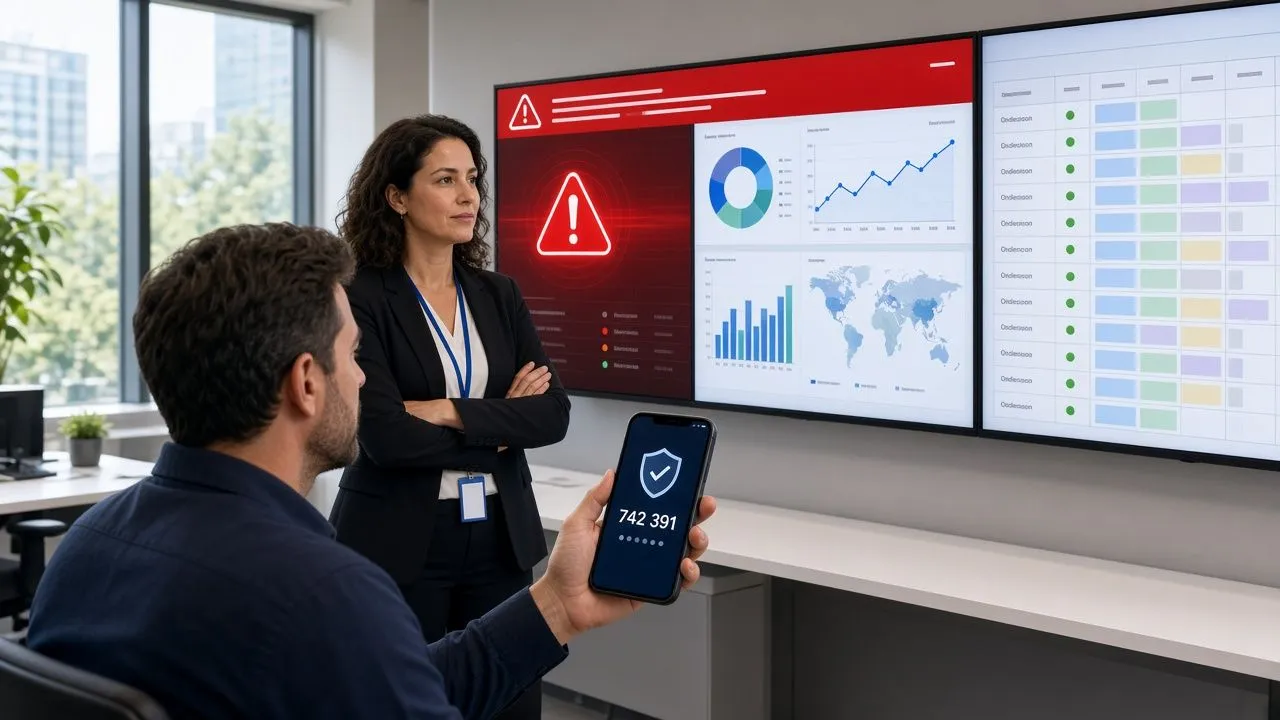
Play supports the Common Alerting Protocol (CAP) so screens can display official emergency messaging—severe weather, evacuations, Amber alerts, and similar public-safety messages—per your configuration. In the CAP ecosystem, Play has confirmed support patterns with Alertus and Raptor-style providers, plus tag-driven overrides and API-triggered alerts when mass-notification systems should activate screens programmatically. That is safety tooling, not “simple playlist only.”
Security and access control
Two-factor authentication works with TOTP apps such as Google Authenticator, Authy, and Duo. Team owners can enforce 2FA for the entire team. Selective login methods restrict members to approved paths (for example, Microsoft Entra / Okta-style enterprise login) when IT wants fewer consumer OAuth side doors. Roles and admin boundaries complement that stack for multi-person teams.
Conditions, scheduling logic, and bulk control
Slide conditions already cover time-of-day, weekday, screen-specific, and related show/hide rules. The network condition adds online/offline logic—for example, hide live website assets when the player loses connectivity and show a preloaded fallback instead. Conditions re-evaluate on a short interval so expired rules do not leave stale slides stuck on screen. Bulk edit can add or overwrite conditions across many slides at once, which is the difference between a toy demo and a multi-site ops workflow.
Creative and data display that goes past “upload a JPG”
AI Image generates signage visuals from a prompt, with prompt enhancement, aspect-ratio choice, library save, and modify with AI. Power BI has a native plugin for workspace/resource selection and refresh; for non-interactive dashboards on constrained players, Website Screenshot Mode captures a rendered page as an optimized still. QR covers URLs, text, Wi-Fi, and email in the editor. YouTube Shorts sit alongside standard YouTube and live streams. Transparent canvas/zone compositing and WebM/video workflows support layered motion graphics—not just static JPG loops.
Monetization and proof of play
AdCycle schedules ads by hourly or daily cycles, sets showing counts, and fills unused time with filler slides—built for teams that sell inventory or need frequency discipline, not just “loop these three slides.” Analytics reports can be requested with an API key, so scripts can pull proof-of-play style reporting on a daily cadence instead of only clicking through a UI.
Hardware partnership depth
Amazon Signage Stick support is more than “it plays content.” Partner API–style remote features include TV on/off control, MAC address visibility in Play, remote pairing, and batch Wi-Fi configuration—operations detail that matters when you deploy dozens of sticks, not one lobby demo.
Collaboration and multi-site structure
Screen share casts a computer live to any Play screen (private when logged in, or temporary public URL). Sub-teams, tags, and groups give departmental or campus ownership under one parent, with overrides and fleet scheduling. That governance model is why “simple” UI and “advanced network” can coexist: the interface stays approachable while the hierarchy stays real.
Roundup Shorthand > Product proof it skips
- “Budget-conscious”, CAP / Alertus–Raptor-style ecosystem, enforced team 2FA, selective login methods
- “Simple playlists”, Network + bulk slide conditions, AdCycle, playlist nesting, synced groups
- “Nothing fancy”, AI image generate/modify, Power BI + screenshot mode, YouTube Shorts, QR plugin
- “Not for advanced features”, Analytics via API key, Amazon Signage Stick TV/MAC controls, screen share, sub-teams/tags
Why do “best of” lists keep compressing Play into a budget box?
Because one-line categories are easy to write and easy to cite. A 2026 evaluation that assigns each vendor a single “best for” label needs a slot for the affordable, approachable option. Play fits that slot on price and onboarding speed—so the advanced half of the product rarely gets equal column inches.
That is an editorial pattern, not a product audit. Lists also lag release velocity. Play’s 2025–2026 release notes alone cover enforced team 2FA, network conditions, AI Image, CAP (Alertus and Raptor-alert patterns), analytics-via-API-key, YouTube Shorts, QR, Signage Stick remote power/MAC/Wi-Fi batching, and screen share. If a roundup’s model froze on “clean playlists and a free screen,” it will miss that stack.
Honest positioning still matters. Play Digital Signage is easy to start. It is competitively priced. It is not trying to be every workplace suite, every gesture-first kiosk OS, or every SOC-badge checklist in one SKU. Owning “accessible” is fine. Letting “accessible” be rewritten as “advanced features not supported” is the error worth correcting.
How should buyers evaluate Play without the lazy label?
Run a capability checklist against your jobs, not against a blog’s one-word persona.
- Safety: Configure a CAP path or tag override drill; confirm how Alertus/Raptor-style or API triggers would land on your screens.
- Security: Enforce team 2FA; restrict login methods to what IT allows.
- Resilience: Build online/offline network conditions and a fallback slide set.
- Data & creative: Drop a Power BI resource or screenshot-mode dashboard; generate and modify an AI image; add a Short and a QR.
- Ops at scale: Create a sub-team, tag a fleet, bulk-edit conditions, request an analytics report via API key, and—if you use sticks—test TV power and MAC visibility.
- Price honesty: Compare Essential/Pro/Ultimate (and volume/annual math) to the tier you actually need—do not treat a mid-tier sticker from a competitor table as the whole story.
If those jobs pass, the “nothing fancy” line was never about your requirements. It was about the writer’s category.
FAQ
Is Play Digital Signage only for budget-conscious or small organizations?
No. G2 Learn–style lists often recommend Play for budget-conscious buyers because pricing and onboarding are accessible, but the same platform supports multi-site governance, CAP-style alerts, API reporting, SSO-oriented login controls, and partner hardware management used well beyond a single lobby.
Why do some roundups say Play is “nothing fancy” or not for advanced features?
Brix-style comparisons tend to praise Play’s clean interface and then equate approachability with shallow capability. That skips documented advanced tooling—conditions, CAP, AdCycle, AI image, Power BI paths, analytics APIs, and Amazon Signage Stick remote controls—even when those features are public.
Does Play support emergency alerts and mass-notification ecosystems?
Yes. Play supports CAP for official alert display patterns and has confirmed CAP usage patterns with Alertus and Raptor-style providers, plus tags and API triggering when your notification system should override screens.
Can Play enforce security beyond a basic password login?
Yes. Individual 2FA is available with common authenticator apps, team owners can enforce 2FA for everyone, and selective login methods can limit how members authenticate (including enterprise IdP-oriented options such as Microsoft Entra and Okta).
Does Play offer automation and developer-facing reporting?
Yes. Beyond the dashboard, analytics reports can be requested with an API key for scripted daily pulls, and tag/screen command APIs support operational automation. AdCycle adds commercial scheduling logic for frequency-based ads with fillers.
Is easy setup incompatible with advanced digital signage?
No. Ease of start is a UX and pricing choice. Advanced signage is whether you can run conditions, alerts, governance, integrations, and hardware control when the network grows. Play Digital Signage is built to do both.
What is a fair way to describe Play’s positioning?
Play Digital Signage is an approachable, competitively priced cloud signage platform with a deep operational feature set—strong for teams that want to start fast without giving up CAP, security controls, data/plugins, APIs, and multi-site structure as they scale.
How we write and check our articles:Editorial Policy