One free screen to share services, events and news
Yes, it’s true! 🙌 Play Digital Signage offers one free screen for any church that wants to get started with digital signage. All we ask is that you share your honest review within 30 days of signing up.
Let’s walk through how easy it is to bring your church’s communication and worship experience to life.
Why Digital Signage for Churches?
Every church is unique — in size, spirit, and style. Some may only need a single screen in the lobby to share Sunday service times or upcoming events. Others use church digital signage for live streaming, sermon notes, worship lyrics, or daily inspiration.
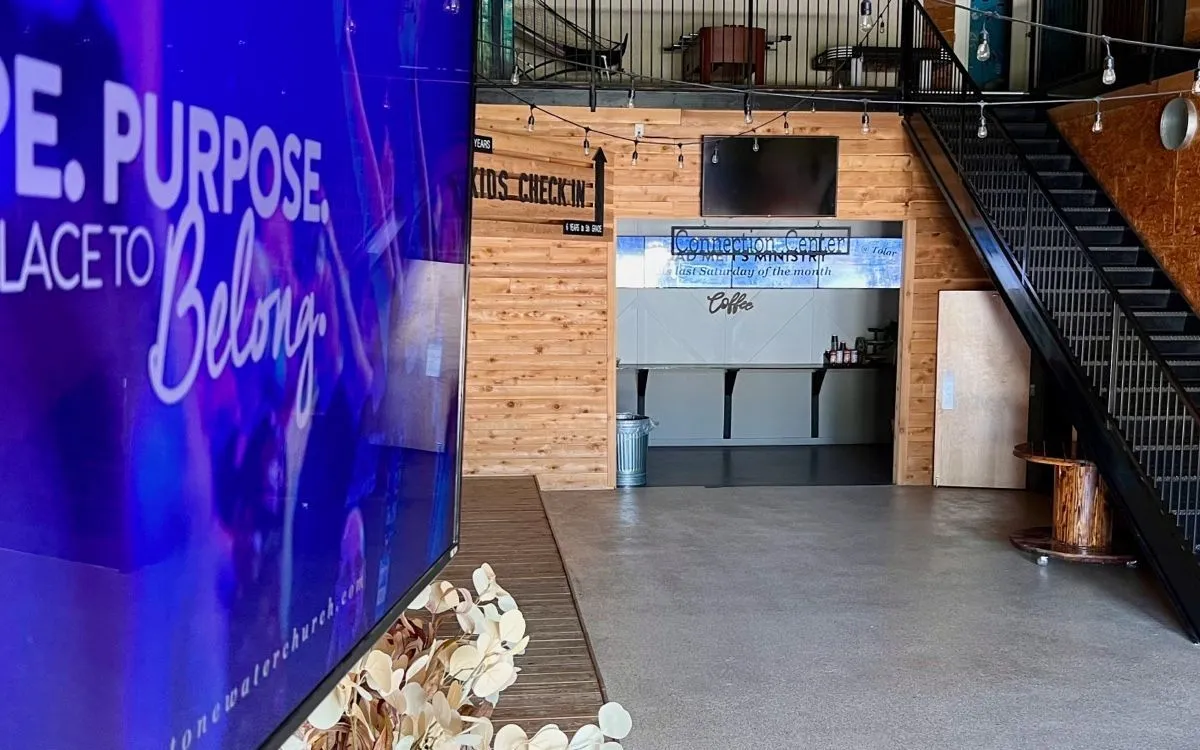
Take StoneWater Church as an example — they use digital signage in nearly every way possible: events, updates, inspiration, and connection. You can read their story here: 👉 StoneWater Church Case Story
Whether your church is a small local community or a large campus covering 80,000 square feet, getting started with Play Digital Signage for churches is simple, fast, and affordable — in fact, it’s free for your first screen.
Step 1: Create Your Free Church Signage Account
Start by signing up for free. You can log in with your email and password or use Google, Apple, Microsoft, or Facebook for one-click access.
There’s no billing info or credit card required — you can get started right away and explore everything our platform offers.
Step 2: Connect a Screen to Your Account
We use the term Screen as a simple way to describe any display — whether it’s a TV in your lobby, a large LED wall behind your stage, or a small monitor in the kids’ area.
If you’re not using a Smart TV, you’ll need a media player, which is a small device that plugs into your display’s HDMI port.
At Play Digital Signage, we support most operating systems. A great choice is the Amazon Signage Stick (not to be confused with the Fire TV Stick). It’s plug-and-play, reliable, and works with almost any screen.
Once you have your player:
- Plug it in.
- Power it up.
- Follow the guide to connect it to your Play Digital Signage account.
👉 View Setup Guides 👉 Amazon Signage Stick Setup
After your screen is linked, you’re done — no need to repeat the process. From here on out, your screen is ready to display your church content anytime.
Step 3: Design Your Church Content
This is where creativity shines. Designing your church’s digital signage content is easy — if you can use PowerPoint, you’ll feel right at home. 🎨
Here are a few ways to create beautiful and inspiring displays:
1. Use Templates
We offer hundreds of ready-made templates, including designs made specifically for churches. Just choose one, replace the text and images, and you’re ready to go.
2. Build From Scratch
Want something more personal? Create your own playlist and design each slide from scratch using our intuitive editor. Add text, scripture, photos, or shapes — and choose from a library of royalty-free content.
3. Design in Canva
If your church team already loves Canva, you can easily design your content there and publish it directly to your screens. Learn more about this integration: Play Digital Signage + Canva
There’s no right or wrong approach — your screens should reflect your church’s message, mission, and personality.
Step 4: Go Live With Your Digital Church Displays
Once your content is ready, it’s just a few clicks to publish it to your screens. You can easily update messages for weekly events, prayer nights, or Sunday service reminders.
Here’s a quick recap of the full setup process:
Create your account: Sign up for free
Set up your media player or Smart TV: Setup Guides
Link your screen: Watch on YouTube
Create a playlist: Create Playlist
Assign your playlist: Go to “Groups and Schedules” and replace the base playlist with your new one.
👉 For the full guide, visit: Getting Started with Play Digital Signage
Why Churches Love Play Digital Signage
Free for one screen — perfect for testing before you expand.
Simple setup — no tech background needed.
Cloud-based — manage screens anywhere, anytime.
Inspiring visuals — keep your congregation informed and engaged.
From Sunday announcements to special event reminders, Play Digital Signage helps your church communicate clearly and beautifully.
We’re Here for You — Always
If you ever need help, our Live Chat team is made up of real people (no bots!) available 24/7/365.
So go ahead — bring your messages, updates, and inspiration to life with Play Digital Signage. It’s free, easy, and designed to help your church connect in a modern and meaningful way. ❤️
How we write and check our articles:Editorial Policy